
Summary: Automated backups in a locked container and data recovery after a ransomware attack.
In detail: Nitrus Anti-Ransomware is not designed to detect or prevent attacks.
It is based on a different assumption: that at some point, an attack will happen.
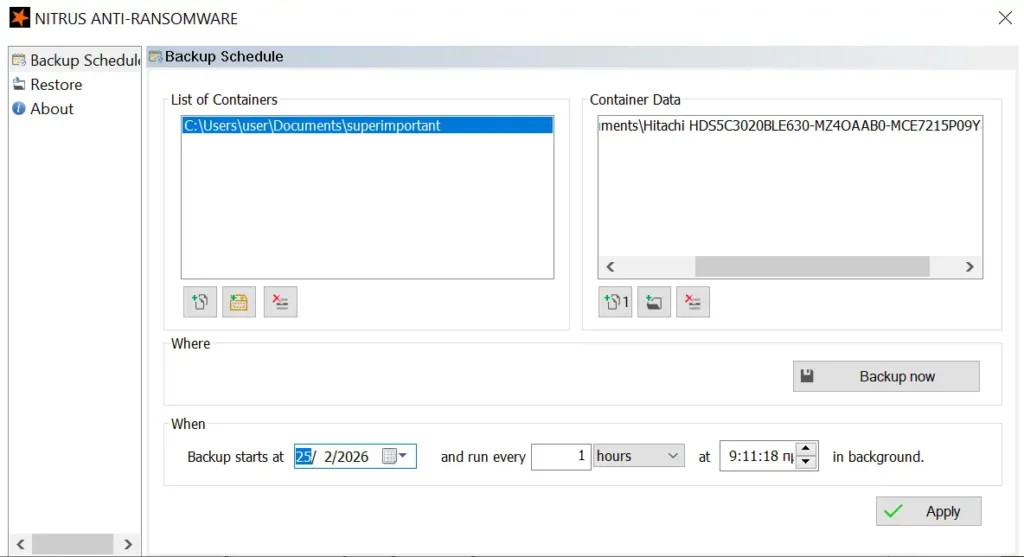
This container is an isolated storage space which:
- is not a standard OS directory,
- is not accessible through conventional processes,
- cannot be modified by applications running on the system.
This means that even during an active infection, the data stored in the container remains unaffected.
Automatic operation
Setup is done once:
- Create a container
- Select files or folders to protect
- Define the schedule
After the initial setup, operation is fully automatic with no daily interaction required.
Behavior during a ransomware attack
- active system files may be encrypted,
- applications may stop working,
- the system may become unusable.
The Nitrus container remains unaffected, as it is not part of the accessible file system.
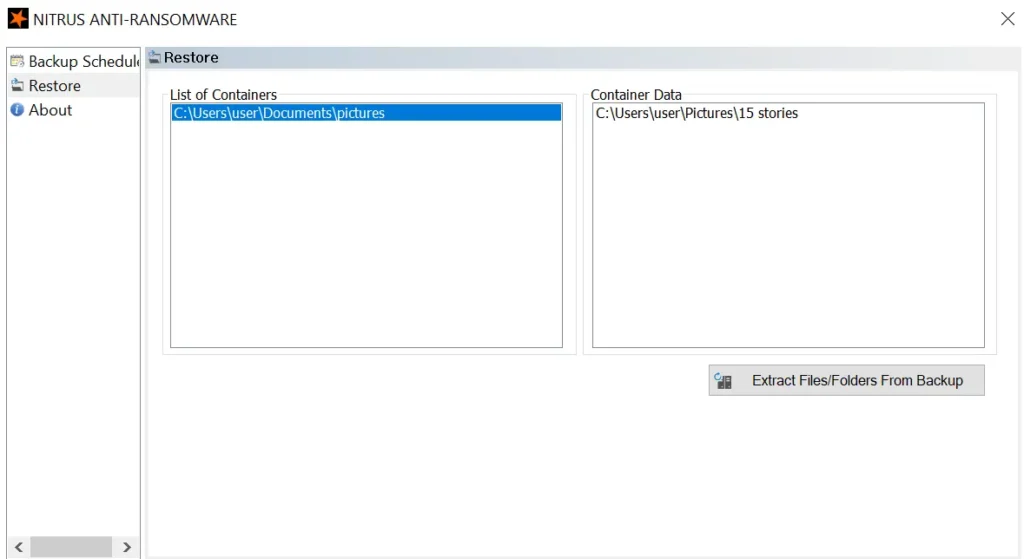
After system cleanup/recovery, data can be restored through the restore process without additional steps or specialized procedures.
Restore process
- Select container
- Load contents
- Select files or folders
- Extract (restore)
The process is read-only with respect to the container and does not affect stored data.
Try Nitrus in practice
Setup takes just a few minutes and runs automatically in the background.
No daily use or management is required.
Instead, it is built on four principles:
- Data isolation through locked containers
- Independence from the operating environment
- Autonomous operation without user intervention
- Simplicity in setup and use
This approach shifts the focus from preventing attacks to ensuring recoverability.
What Nitrus is not
- it is not antivirus,
- it is not EDR,
- it does not block attacks,
- it does not guarantee protection in every possible scenario.
Nitrus ensures that you can restore your data after a ransomware attack, based on our expertise and the analysis of hundreds of ransomware samples conducted in our labs.